Help centre

Integration guides

Connect your marketing stack to Salient in a few minutes. Every integration is read-only: we never write to your analytics or CRM, and disconnecting removes our access immediately.

Before you start

Every integration begins in the same place.

  1. Sign in

    Log in to your dashboard at app.salientnow.io.

  2. Pick your brand

    If your login covers several brands, choose the one to connect. Each brand has its own connections.

  3. Open Integrations

    Click Integrations in the left sidebar.

  4. Flip the toggle

    Switch on the toggle on a card and follow the guide for that tool.
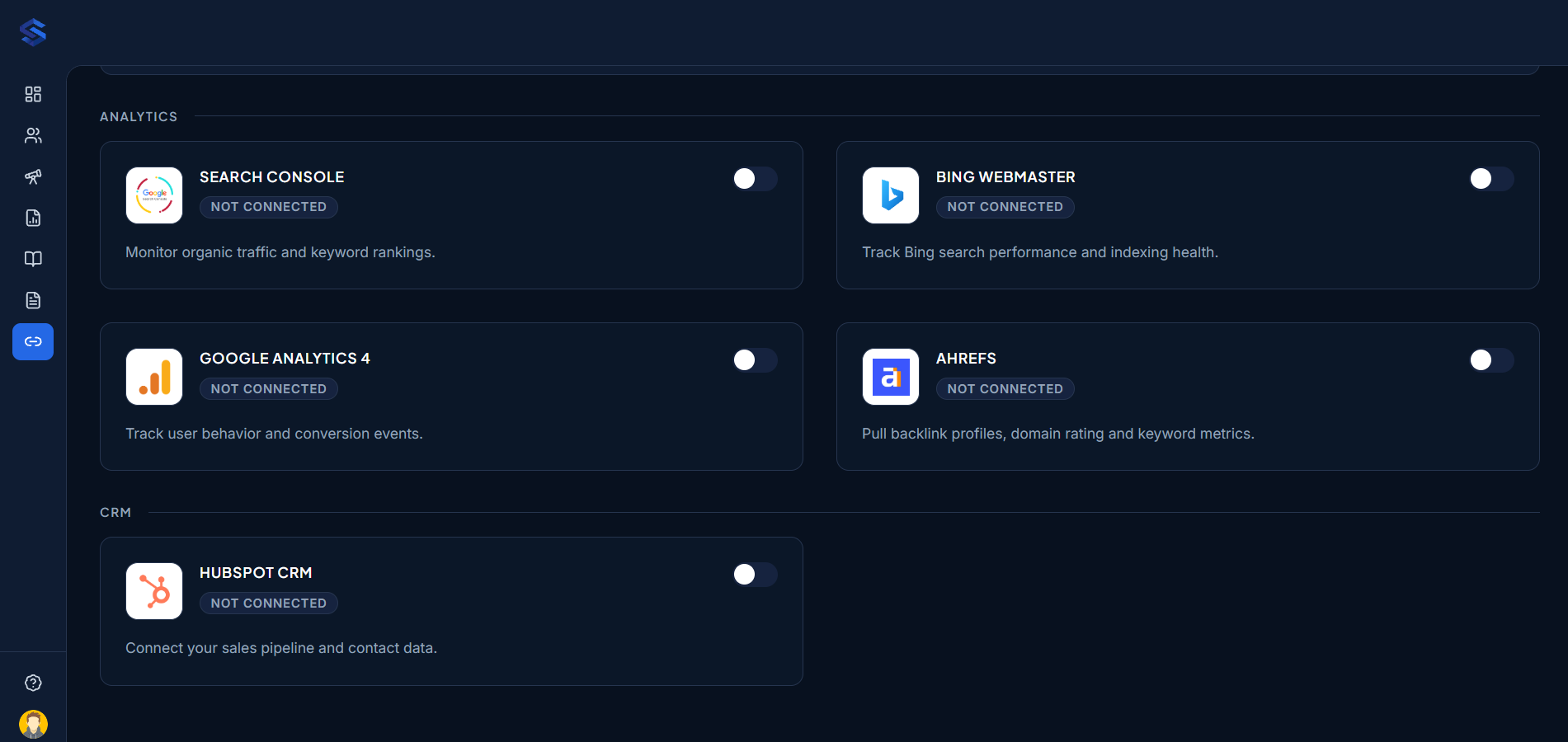
Salient Integrations page
The Integrations page in the Salient dashboard, with Analytics and CRM cards.

All guides

5 integrations

How integrations work

The same rules apply to every tool.

Read-only access

We only read data such as search performance, visitors and leads. We never change your analytics properties, CRM records or settings.

One connection per brand

Connections belong to the brand you're working on. If you manage several brands, connect each one separately.

Two ways to connect

Google and HubSpot use a secure sign-in with the tool itself, so we never see your password. Bing and Ahrefs use an API key you create in that tool.

Change or disconnect any time

Use the gear icon on a card to switch the connected account. Turn the toggle off to disconnect, which removes our access immediately.

Still stuck?

Email contact@growthspree.in with the integration name and a screenshot of what you see. Your account manager replies the same working day.